
Official TeamCounter app for Android
TeamCounter App: Tally Lists and Counters for Android
Count simply. Organise together.
Create tally lists, scores, drink lists, value counters and attendance lists directly on your Android phone. Save list links in one clear overview and share the right access with your team.
- Free to install
- Five list types
- No TeamCounter account
- Android 7.0 or newer
- 26 app languages

Short answer
The TeamCounter app is the Android companion to teamcounter.net. It combines list creation, a personal overview of saved links and direct access to shared counters—without creating a TeamCounter user account. Current values and collaborative changes use the same TeamCounter server lists and therefore require an internet connection.
The essentials
Everything important is only a few taps away.
The native interface focuses on the steps you need most often: count, find a list again and share the correct link.
Count quickly
Update values with clear plus and minus controls and keep the current status easy to read. Which new counting features the Android update brings is explained in the guide Android update: new counting features.
Find lists again
Organise saved list links in one overview. The links are encrypted locally with the Android Keystore.
Share the right access
Share a read-only view link or a private management link, depending on what the other person should be allowed to do. What to keep in mind when passing links on is shown in the guide Sharing view links and management links safely.
App preview
See TeamCounter in ten seconds.
The short promotional clip gives you a direct impression of the mobile TeamCounter experience. Use the controls to play, pause or view it full screen.
Visual summary: The supplied clip presents the TeamCounter app in a short promotional format.
Five list types
One app for different counting tasks.
Choose the list that fits your team or occasion. The linked public pages explain each type in more detail.
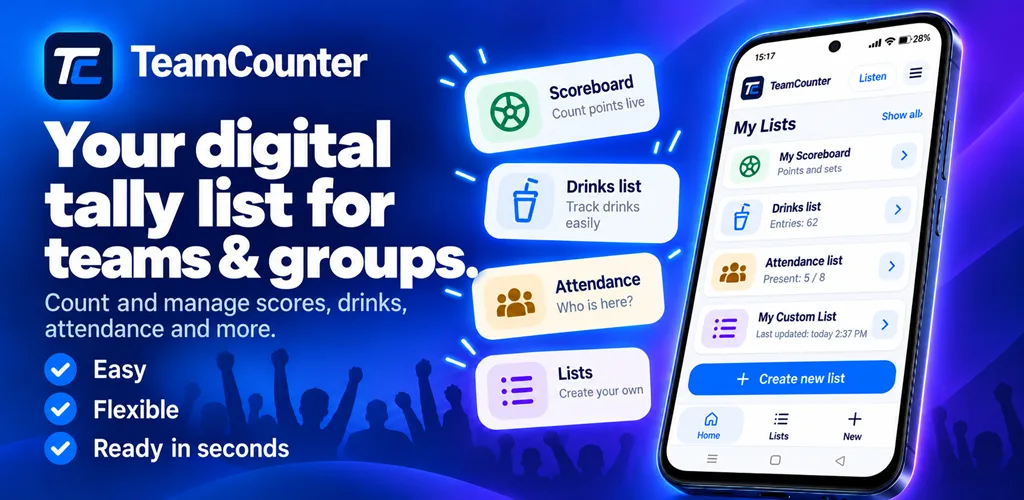
App campaign visuals
Promotional visuals for the TeamCounter app.
The supplied promotional images are edited product visualisations in landscape and portrait formats. They are not unmodified screenshots or evidence of the current app build.


App or web version?
Use the access that suits your device.
Shared online lists use the appropriate access links. The Android app is fully native; the website opens in a browser. Local browser lists and local app data remain separate and are not transferred automatically on installation. How to use the web version on several devices is explained in the guide Using TeamCounter on smartphone, tablet and desktop.
Android app
Ideal when TeamCounter should have a permanent place on an Android phone or tablet.
- Native dashboard and navigation
- Encrypted local overview of saved links
- Direct access from the home screen
Web version
Ideal for iPhone, desktop computers, shared screens or quick use without installing an app. How to export drink, attendance, score and value lists as CSV or PDF in the browser is described in the guide Understanding CSV and PDF export.
- Starts in a current browser
- Works on different device types
- Public tool pages explain each list type
Transparent use
Know what is stored—and where.
TeamCounter is designed for simple organisational counters. The app explains the difference between local saved links and the actual server list. What to consider when sharing lists is explained in the guide Data protection for shared lists.
Read the privacy policy- 1No TeamCounter accountAccess is based on the view or management link for a list.
- 2Links encrypted on the deviceSaved links are protected locally with the Android Keystore.
- 3Current values use the server listCurrent values and collaborative changes require an internet connection over HTTPS.
- 4Advertising is disclosedThe app can display ads; ad requests depend on the applicable consent status.
- 5App languagesThe app text is maintained in German and English. Google Play automatically translates it into 24 other languages: Bulgarian, Chinese (Simplified), Croatian, Czech, Danish, Dutch, Finnish, French, Greek, Hungarian, Italian, Japanese, Korean, Norwegian, Polish, Portuguese (Brazil), Romanian, Russian, Slovak, Slovenian, Spanish, Swedish, Turkish and Ukrainian.
Get started
From Google Play to your first list.
Open Google Play
Open the official TeamCounter listing and install the app on a compatible Android device.
Choose a list type
Create a tally list, score, drink list, value counter or attendance list.
Save and share
Keep the link in your encrypted local overview and share view or management access deliberately.
Questions and answers
Frequently asked questions about the app.
The answers below are also available without JavaScript and describe the current product boundaries transparently.
What is the TeamCounter app?
The TeamCounter app is the native tally counter app for Android. You can create, open, organise and share tally lists, score counters, drink lists, attendance lists and value counters from a phone or tablet.
Which list types can I use?
You can create and manage tally lists, score counters, drink lists, value counters and attendance lists.
Do I need an account or registration?
No, the app does not create a TeamCounter account. Access is provided by the view and management links for each list.
Can I use current lists offline?
Shared online lists need an internet connection for current server values and collaborative updates. Local browser lists on the website are separate and are not automatically imported into the native app. This does not promise that all app features are available offline.
How are saved lists protected?
Saved view and management links are encrypted on the device with the Android Keystore. The actual lists and counter values remain on TeamCounter servers and are transferred over encrypted HTTPS connections.
Does the free app contain advertising?
The free app can display advertising. Google Mobile Ads is initialised only when the applicable consent status allows ad requests.
Which Android version is required?
The official Google Play listing shows whether the app is compatible with your Android device and which version is available.
Can I use TeamCounter without Android?
Yes, the web version remains available in a current browser on phones, tablets and desktop computers.
Is the TeamCounter app a native Android app or a WebView?
It is a fully native Android app, not a website wrapped in an app shell. The interface, the counters and the saved list overview are built with native Android components.
What is the difference between the app and the web version?
The app is native and installed; the web version runs in any current browser without installation. Online lists are reached in both through the same view or management link. Local browser lists and local app data are separate, and there is no automatic transfer between them.
Where can I download the TeamCounter app?
From the official Google Play Store. The download button on this page leads directly to the listing, which also states whether the app is compatible with your device.
Take your TeamCounter lists with you.
View the official app on Google Play or continue directly with the web version—your shared TeamCounter workflow stays clear.